Upwork proposal generator
This Upwork proposal generator writes a short cover letter, not a ten page document, because that is what a client reads on Upwork. Fill in your skills, the job and your rate, and get a letter you can edit. Then paste the job post, and the tool shows which of its questions your letter answers.
By The Clinchdraft team (Product and testing). Last updated .
How to use the Upwork proposal generator, step by step
- Keep Upwork job selected in the proposal type list.
- Write what the client wants in one line, taken from the job post, starting with a verb.
- List what you will deliver and add your rate or bid, then press Generate.
- Paste the full job post into the tailoring box to see its questions and requirements.
- Answer every question the tool found, either by hand or with the AI rewrite.
- Finally, copy the letter into the Upwork proposal form and check the Connects cost before you submit.
Generating a proposal is free and needs no account. Tailoring it to a client brief uses a credit, so see the pricing page for packs and plans, or read how we test the templates.
Upwork proposal generator tested with a real input
We ran a fictional business and client through this exact generator. Every number below comes from that run, including the size of the Word file the download button produces.
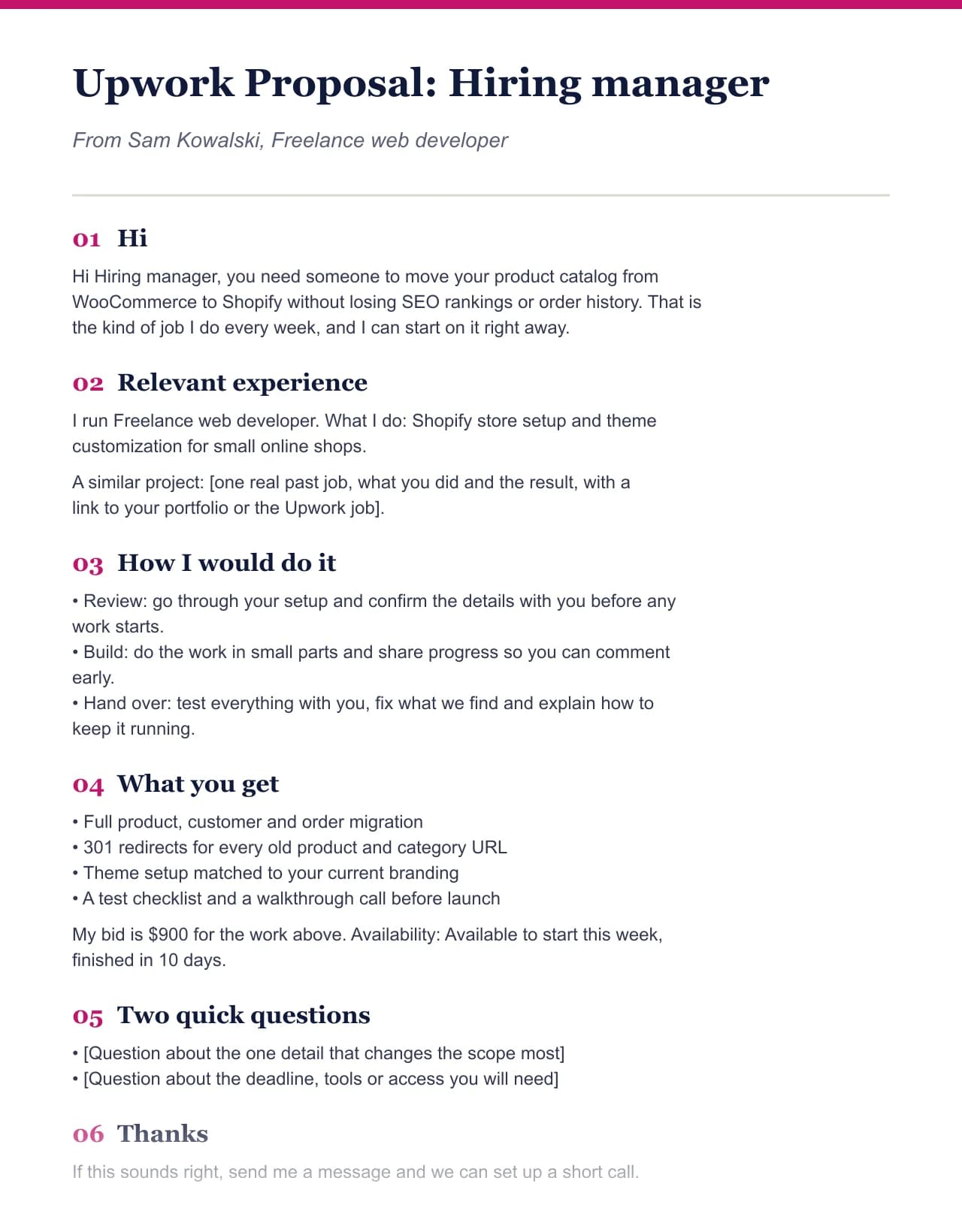
- Test input
- Freelance web developer (fictional) writing to Hiring manager, with the default deliverables and prices for this field
- Output
- Upwork cover letter
- Words
- 220
- Sections
- 6
- Price options
- 1
- Placeholders left
- 2
- Word file size
- 10 KB
- Generation time
- 1 ms
How we test: every page uses the same input, and we check each output by hand. More on the about page.
Why an Upwork proposal is a letter, not a document
On Upwork, the client sees a list of freelancers with the first lines of each cover letter. So the opening sentence decides whether they open yours. A formal proposal with a cover page and an executive summary wastes that line on a title.
That is why the Upwork job type in our generator writes a short letter. It opens with the client's goal, says how you would approach it, lists what you will deliver, names your rate and ends with one clear next step. As a result, it fits in the proposal box without scrolling.
Every proposal you submit also costs Connects, the credits Upwork charges to apply for a job. Since each application costs something, it pays to send fewer, better letters instead of the same text to every post.
Make the Upwork proposal generator answer the job post
Clients often put questions in the job post, and some add a keyword to check that you read it. A generic letter misses both. Therefore, the tailoring box reads the post you paste and lists each question, requirement, deadline and budget line it finds.
Next to each item, the tool shows which part of your letter answers it. Items with no answer are the ones to fix before you apply. You can write those lines yourself for free, or run the AI rewrite, which answers from your own facts and leaves a [placeholder] where it has none.
The AI rewrite gives you three free runs a day and then uses one credit per run. However, it never adds past clients, ratings or years of experience you did not type. On a marketplace where your profile shows your real history, an invented claim is easy to catch.
What this generator does not do on Upwork
Clinchdraft is not affiliated with Upwork, and the tool does not connect to your Upwork account. It does not browse jobs, submit proposals or spend your Connects. Instead, you copy the letter and paste it into Upwork yourself, so you decide what gets submitted and where.
Also, a good letter cannot fix a thin profile or a poor match. Apply to jobs where your past work fits, and link one or two relevant samples in the letter. The generator handles the wording, while the choice of jobs stays with you.
Parts of a strong Upwork cover letter
| Part | What it does for the client |
|---|---|
| Opening line | Restates their goal, so the preview shows you read the post |
| Approach | Two or three sentences on how you would do the job |
| What you deliver | A short list, so they can compare you with other bids |
| Rate or bid | Your fixed price or hourly rate, exactly as you typed it |
| Answers to their questions | Added from the job post during tailoring |
| Next step | One clear ask, such as a short call or a first milestone |
Upwork proposal generator FAQ
How do I write an Upwork proposal that gets replies?
Open with the client's goal in their words, answer every question in the job post and keep it short. Then name a clear price and one next step.
How long should an Upwork proposal be?
Usually 150 to 300 words is enough. The client sees only the first lines in the list, so the opening matters more than the length.
Is using an Upwork proposal generator against the rules?
Upwork expects the proposal to describe your real skills and to answer the job honestly. Our tool writes from your facts only, and you review and paste the letter yourself, so check Upwork's current terms if you are unsure.
Does this tool submit proposals or use my Connects?
No. It has no access to your Upwork account. You paste the letter into Upwork and decide which jobs are worth the Connects.
Is the Upwork proposal generator free?
Yes. The letter, editing and copying are free with no account. The AI rewrite that fits the letter to a job post has three free runs a day.